

Grade Calculator NZ
Calculate your marks, percentages and weighted grades quickly and easily.
Enter your assessment scores to work out your percentage or overall weighted result. You can also use your own grade boundaries when your school or course uses a specific grading scale.
- ✓ Free to use
- ✓ Instant calculations
- ✓ Weighted assessments
- ✓ NZ-focused
Grade Calculator NZ: Table of Contents
Jump to the section you need to learn more about calculating grades, percentages, weighted marks, and assessment results.
- 1 Grade Calculator
- 2 Quick Answer & Grade Calculation Basics
- 3 How to Calculate Marks as a Percentage
- 4 Weighted Assessments & Weighted Grades
- 5 NZ School Grading & Reporting
- 6 NCEA & Grade Calculator
- 7 How to Use the Grade Calculator
- 8 Grade Calculator for Students
- 9 Practical Grade Calculation Examples
- 10 Grade Calculator FAQs
- 11 Related Calculators & Guides
- 12 Official Sources & Last Updated
- 13 Final Takeaway
Calculate Your Percentage
Enter the marks you earned and the total marks available. The calculator will work out your percentage instantly.
Your percentage
0%
Your result is calculated from the marks entered above.
Calculate Your Weighted Grade
Add your assessment percentages and their weighting to calculate your current weighted result.
Current weighted result
0%
Calculate Your Required Final Mark
Find out what mark you need on your remaining assessment to reach your target overall percentage.
Required final mark
0%
What Is a Grade Calculator?
A grade calculator NZ helps you calculate marks, percentages, weighted results, and required final marks. Enter your assessment results into the calculator above. It gives you a clear result without doing the maths manually.
How Grade Calculation Works
Grade calculations usually start with the marks you earned and the total marks available. Your result can then be expressed as a percentage.
If several assessments count toward your final result, their weighting can also affect the calculation. The calculator supports both simple and weighted results.
1. Calculate Marks as a Percentage
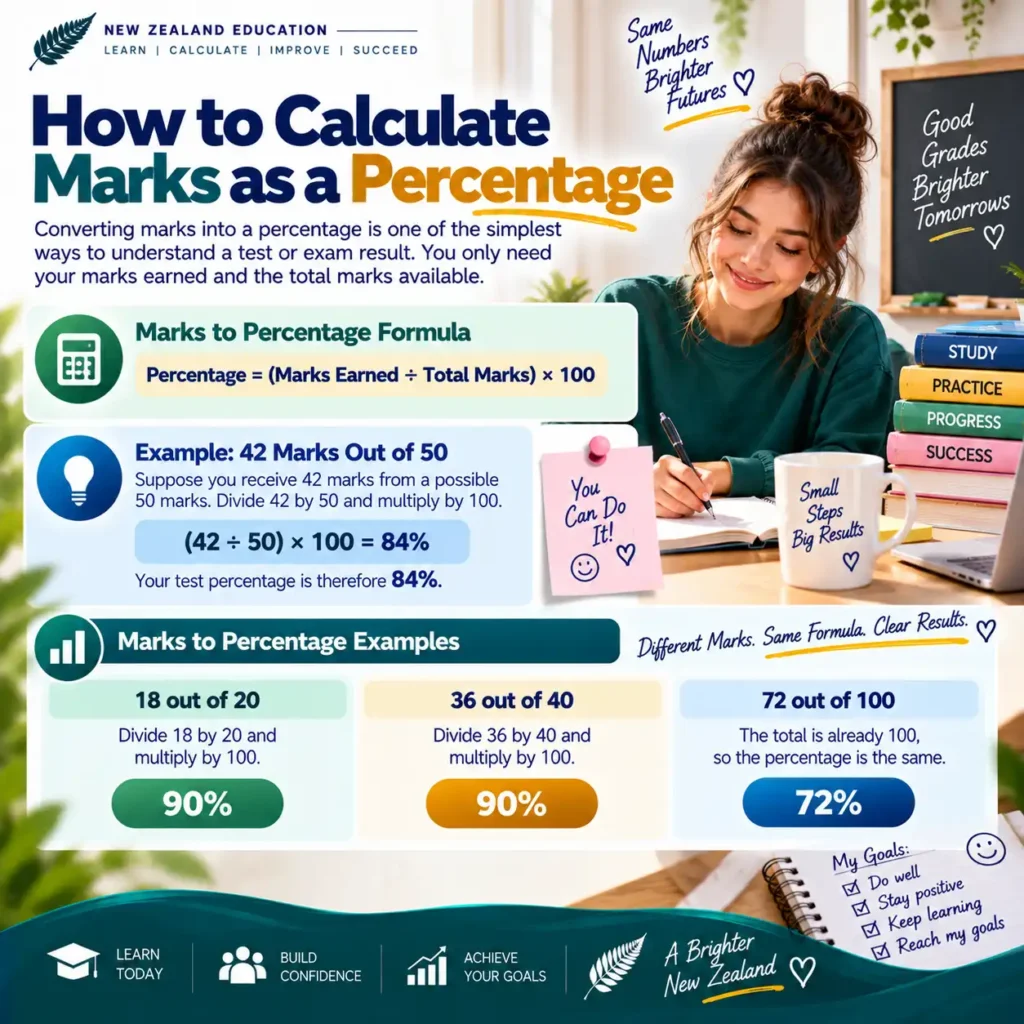
To calculate a test or exam percentage, divide the marks earned by the total marks. Then multiply the result by 100.
Percentage = (Marks Earned ÷ Total Marks) × 100
For example, if you score 42 marks out of 50, your percentage is 84%.
2. Calculate a Weighted Grade
Some courses use different weighting for each assessment. A test worth 30% affects your overall result more than an assessment worth 10%.
The weighted calculator multiplies each score by its assessment weighting. It then combines the weighted results.
Weighted Points = Score × (Weight ÷ 100)
If you have entered only completed assessments, the calculator shows your current weighted result. It does not assume that missing assessments have a zero score.
3. Calculate the Required Final Mark
You can also calculate the mark needed on a final assessment. This is useful when you know your current percentage, the final assessment weighting, and your target result.
Final Mark = [Target − Current × (1 − Final Weight)] ÷ Final Weight
The calculator also checks whether your target is mathematically achievable. If you need more than 100%, the target cannot be reached through that final assessment alone.
Grade Calculation Examples
These examples show how the different calculator options work. You can use the calculator above with your own assessment marks.
Test Percentage
You receive 42 marks from 50 available marks.
84%Weighted Result
An 80% assessment worth 30% contributes 24 percentage points to the overall result.
24 pointsRequired Final Mark
Your current result is 80%, with a final assessment worth 30% and a target of 85%.
91.67%Grade Calculation in New Zealand
New Zealand schools can use different assessment and reporting approaches. Therefore, there is no single percentage scale that applies to every school or year level.
For Years 0–10, schools report student progress using information from curriculum learning, assessment results, and other evidence. From 2026, revised English and Mathematics & Statistics reporting includes progress descriptors for relevant learners.
Senior secondary students may also work with NCEA. NCEA uses standards and achievement criteria rather than one universal percentage-to-grade conversion.
For this reason, this NZ grade calculator is designed to calculate marks, percentages, weighted results, and required marks. It does not pretend to convert every NZ school result into one universal letter grade.

How to Calculate Marks as a Percentage
Converting marks into a percentage is one of the simplest ways to understand a test or exam result. You only need your marks earned and the total marks available.
Our marks to percentage calculator does this calculation for you. You can also calculate it manually using a simple formula.
Example: 42 Marks Out of 50
Suppose you receive 42 marks from a possible 50 marks. Divide 42 by 50 and multiply the answer by 100.
Your test percentage is therefore 84%. You can enter the same numbers in the calculator above to check the result.
Marks to Percentage Examples
Here are some common examples of how marks convert into percentages.
18 out of 20
Divide 18 by 20 and multiply by 100.
90%36 out of 40
Divide 36 by 40 and multiply by 100.
90%72 out of 100
The total is already 100, so the percentage is the same.
72%Common Marks to Percentage Table
Use this quick reference to see common score conversions. These percentages are mathematical conversions, not official school grade boundaries.
| Marks Earned | Total Marks | Percentage |
|---|---|---|
| 5 | 10 | 50% |
| 6 | 10 | 60% |
| 7 | 10 | 70% |
| 8 | 10 | 80% |
| 9 | 10 | 90% |
| 10 | 10 | 100% |
| 15 | 20 | 75% |
| 18 | 20 | 90% |
| 24 | 30 | 80% |
| 40 | 50 | 80% |
| 45 | 50 | 90% |
| 80 | 100 | 80% |
| 90 | 100 | 90% |
What If the Total Marks Are Different?
The total marks do not need to be 100. You can calculate a percentage from any positive total.
For example, 32 out of 40 is the same percentage as 80 out of 100.
This is useful for school tests, assignments, quizzes, exams, projects, and other assessments where the maximum mark is not 100.
Does a Percentage Equal Your NZ School Grade?
Not necessarily. A percentage is simply a mathematical representation of the marks you received.
Schools and education providers can use their own assessment and grading systems. This means you should check your school’s grading information before treating a percentage as an official grade.
NCEA is also different. NCEA achievement standards use achievement criteria and grades such as Not Achieved, Achieved, Merit, and Excellence. NZQA does not use one universal percentage scale for every NCEA standard.
How Weighted Grades Work
A weighted grade gives different assessments different levels of importance. An assessment worth 30% has more effect on your overall result than one worth 10%.
This is useful when your course includes tests, assignments, projects, presentations, exams, or other assessments with different weighting.
Use the Weighted Grade tab in our calculator above to enter your score and weighting for each assessment.
Weighted Grade Formula
To calculate the contribution of an assessment, multiply its percentage score by its weighting.
Add the contributions from the assessments you have entered. If you have entered less than 100% of the course weighting, the calculator shows your current weighted result.
Weighted Grade Example
Imagine a student has completed two assessments. The first score is 80% and is worth 30%. The second score is 70% and is worth 20%.
The student has earned 38 weighted percentage points from 50% of the total weighting entered. Their current result across those completed assessments is 76%.
What If Your Assessments Do Not Add to 100%?
Your assessments do not always need to add to 100%. You may be checking your current result while some assessments are still to come.
For example, if you have completed assessments worth 60% of the course, the calculator can show your current result from that completed 60%.
This result should be treated as your current performance across the assessments entered. It is not necessarily your final course grade.
How to Use the Weighted Grade Calculator
Follow these simple steps to calculate your weighted result.
Enter Your Score
Enter the percentage you received for each assessment.
Enter the Weight
Enter how much that assessment contributes to the course.
Calculate
Select Calculate Weighted Grade to see your current result.
Weighted Grade vs Simple Average
A simple average treats every score equally. A weighted grade gives each assessment the importance assigned to it.
Simple Average
Two scores of 80% and 60% have an average of 70% when both scores have equal importance.
Weighted Result
If the 80% score is worth 70% and the 60% score is worth 30%, the weighted result is 74%.
Weighted Assessments for NZ Students
Schools and education providers can use different assessment structures. Your teacher or course provider should explain how assessments contribute to your overall result.
This calculator is designed for mathematical grade calculations. It does not replace your school’s official assessment rules.
NCEA is different from a simple weighted percentage system. NCEA achievement standards are assessed against standard-specific criteria, so you should not use this calculator to predict an official NCEA grade from a percentage alone.
How Grading and Reporting Works in NZ Schools
There is no single grading scale that every New Zealand school uses for every year level and subject. Your school may report assessment marks, progress information, teacher comments, or other achievement information.
NZ School Reporting for Years 0–10
From 2026, state and state-integrated schools are reporting against the revised Years 0–10 English and Mathematics & Statistics learning areas.
For Reading, Writing, and Maths, schools are encouraged to use five common progress descriptors. These descriptors help show how a student’s progress relates to year-level curriculum expectations.
Emerging
The student is beginning to develop the expected learning and may need significant support.
Developing
The student is making progress toward the expected year-level learning.
Consolidating
The student is strengthening and applying their developing knowledge and skills.
Proficient
The student is meeting the expected level of proficiency for their year level.
Exceeding
The student is performing beyond the expected curriculum expectations for their year level.
What Can an NZ School Report Include?
Current Ministry and curriculum guidance describes several components that can help parents and whānau understand a student’s progress.
Progress Descriptors
Reports can use progress descriptors for Reading, Writing, and Maths to describe progress.
Assessment Results
Assessment results can provide additional information about a student’s learning and achievement.
Teacher Narrative
A report can explain why a descriptor was selected and identify useful next learning steps.
Attendance
Attendance information can also be included because attendance is connected with learning.
Schools may also provide a visual representation of progress over time. Report layouts can vary between schools.
Percentage vs School Reporting
A percentage and a school report serve different purposes. A percentage tells you how many marks were earned compared with the total available marks.
School reporting can provide a broader picture of progress, achievement, strengths, and next learning steps.
Percentage
A mathematical result based on marks earned and total marks. For example, 42 out of 50 equals 84%.
Progress Reporting
Information about how a student’s learning is progressing against curriculum expectations.
How NCEA Grades Are Different
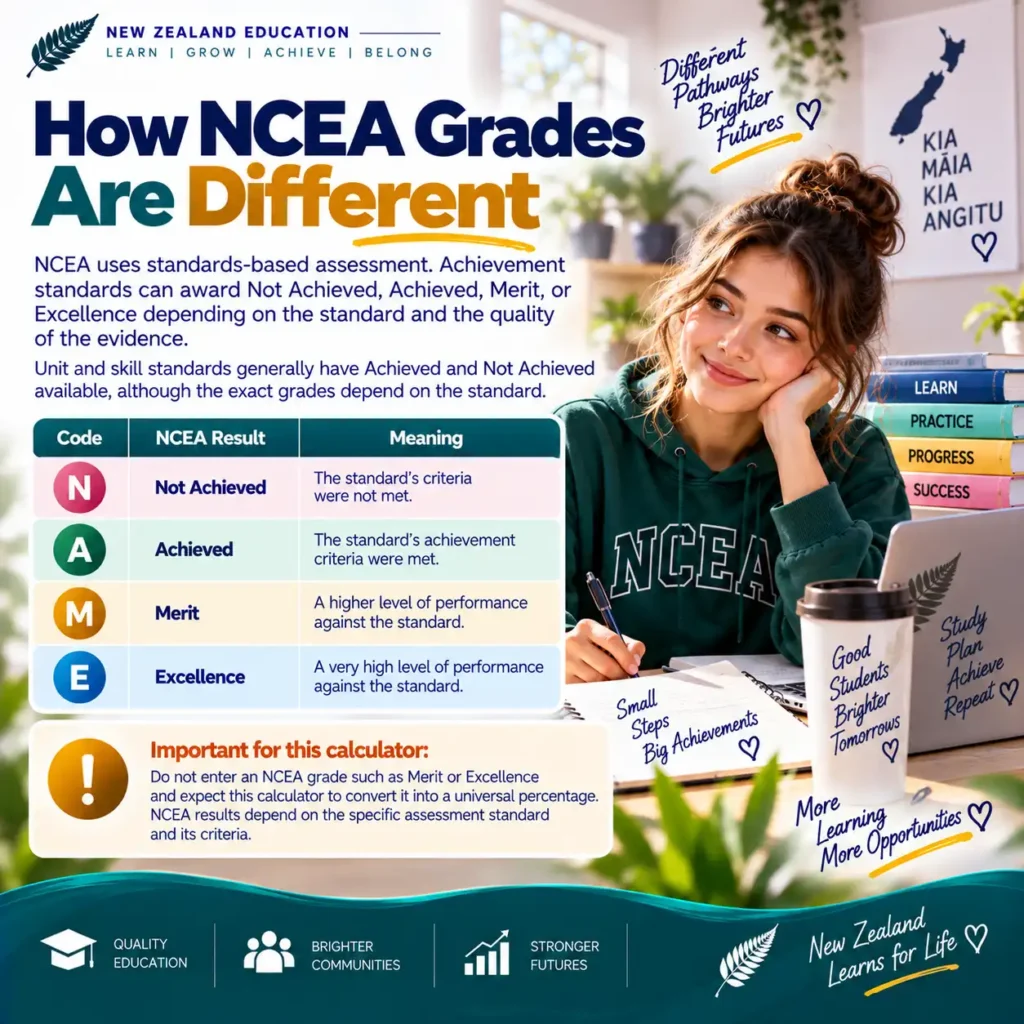
NCEA uses standards-based assessment. Achievement standards can award Not Achieved, Achieved, Merit, or Excellence depending on the standard and the quality of the evidence.
Unit and skill standards generally have Achieved and Not Achieved available, although the exact grades depend on the standard.
| Code | NCEA Result | Meaning |
|---|---|---|
| N | Not Achieved | The standard’s criteria were not met. |
| A | Achieved | The standard’s achievement criteria were met. |
| M | Merit | A higher level of performance against the standard. |
| E | Excellence | A very high level of performance against the standard. |
What This Grade Calculator Can Tell You
Our calculator is designed to handle the mathematical side of your assessment results. It can calculate percentages, weighted results, and required final marks.
It should be used as a calculation tool rather than an official school grading system. Always compare your result with the grading rules supplied by your school, teacher, course provider, or NZQA where relevant.
Can You Use a Grade Calculator for NCEA?
You can use a grade calculator to work out percentages, weighted assessment results, and required marks. However, you should not use a simple percentage conversion to predict an official NCEA grade. NCEA assessment is based on standards and their specific achievement criteria.
NCEA Grades Explained
For achievement standards, NZQA uses four main grades: Not Achieved, Achieved, Merit, and Excellence. The exact grades available depend on the type of standard.
Not Achieved
The requirements of the standard have not been met.
Achieved
The required achievement criteria for the standard are met.
Merit
The performance meets the higher Merit requirements of the standard.
Excellence
The performance meets the higher Excellence requirements of the standard.
Why NCEA Cannot Be Converted Using One Percentage Scale
NCEA standards assess specific knowledge, skills, and evidence. Because standards have their own assessment requirements, a single percentage-to-grade table would not accurately represent every NCEA assessment.
For externally assessed achievement standards, NZQA uses grade score marking. Markers assess evidence against the requirements of the particular standard.
NZQA then combines the scores from the questions and checks the total against the cut scores for that particular standard. Cut scores are specific to the assessment and are set each year.
What This Calculator Can and Cannot Do for NCEA
What It Can Do
You can use this calculator to calculate a percentage from marks, calculate weighted assessment results, or work out a required final percentage.
What It Cannot Do
It cannot reliably predict whether an NCEA standard will receive Not Achieved, Achieved, Merit, or Excellence from a percentage alone.
Example: Why the NCEA Standard Matters
Imagine two students each receive a numerical score from an assessment. You cannot assume that the same percentage automatically produces the same NCEA grade across different standards.
NZQA sets cut scores for each externally assessed standard. Those cut scores can differ between standards and are set using the assessment evidence for that particular standard.
Therefore, the safest approach is to use our calculator for mathematical calculations and use NZQA information for official NCEA assessment results.
How NCEA Students Can Use This Calculator
Although the calculator does not predict an NCEA grade, it can still be useful for planning and understanding assessment marks.
Calculate Your Marks
Convert a raw assessment score into a percentage when your assessment provides numerical marks.
Track Assessment Results
Use weighted calculations where your school course provides percentage-based assessment weighting.
Check Official NCEA Results
Use NZQA and your school’s assessment information for your official NCEA grade and credits.
NCEA Grade Calculator Questions
Can I convert 80% into an NCEA grade?
Not reliably. NCEA grades depend on the requirements and assessment criteria of the specific standard.
Does NCEA use A, B, C and D grades?
NCEA achievement standards use Not Achieved, Achieved, Merit, and Excellence rather than a universal A–D percentage grading scale.
Are NCEA cut scores the same every year?
No. NZQA sets new cut scores each year for externally assessed achievement standards.
Should I use this calculator for my official NCEA result?
No. Use it for mathematical calculations such as percentages and weighted results. Check NZQA and your school for official NCEA results.
How to Use the Grade Calculator
Choose the calculation you need and enter your assessment information. The calculator gives you a result based on the numbers you enter. You can use it for tests, assignments, exams, and other percentage-based assessments.
How to Use Quick Grade
Use Quick Grade when you want to convert marks into a percentage. This is useful for a single test, quiz, assignment, or exam.
Enter Marks Earned
Enter the number of marks you received in the assessment.
Enter Total Marks
Enter the maximum number of marks available for the assessment.
Calculate
Select Calculate Percentage to see your result instantly.
Example
How to Use Weighted Grade
Use Weighted Grade when different assessments contribute different amounts to your overall result.
Add Assessments
Enter each test, assignment, project, or other assessment you want to include.
Enter Score and Weight
Enter your percentage score and the weighting assigned to that assessment.
Calculate Result
Select Calculate Weighted Grade to see your current weighted result.
Example
How to Use Required Mark
Use Required Mark when you want to know what percentage you need on a remaining assessment to reach a target overall result.
Enter Current Grade
Enter your current percentage before the remaining assessment.
Enter Final Weight
Enter the percentage of your overall result that the final assessment is worth.
Set Your Target
Enter the overall percentage you want to achieve.
Example
What Information Do You Need?
Have the correct assessment information ready before entering your numbers. This helps prevent calculation errors.
- Your marks earned for a test or assessment.
- The total marks available.
- Your assessment percentage, if already provided.
- The weighting assigned to each assessment.
- Your current percentage if calculating a required final mark.
- The final assessment weighting.
- Your target overall percentage.
Check Your Result Carefully
A calculator can only work with the information you provide. Check that your marks and assessment weightings match the information from your school or course.
Remember that a calculated percentage is not automatically an official school grade. Your school or education provider may have specific assessment and grading rules.
If you are using the calculator alongside NCEA, use NZQA information for your official NCEA assessment results. Do not assume that a percentage automatically converts into an NCEA grade.
Grade Calculator for Students
Students can use a grade calculator to understand assessment results, track current performance, and plan for upcoming tests or exams. It is useful whenever your school or course provides percentage-based marks or assessment weighting.
How Students Can Use a Grade Calculator
A calculator can make assessment results easier to understand. Instead of working through the maths manually, you can enter your marks and quickly see the result.
Check a Test Result
Enter the marks earned and total marks to find your test percentage. This is useful for quizzes, class tests, and exams.
Track Assessment Results
Use weighted assessments to understand how different results contribute to your current course performance.
Plan for a Final Assessment
If you know your current result and final assessment weight, calculate the percentage needed to reach your target.
Understand Your Marks
Converting raw marks into percentages can make it easier to compare results from assessments with different maximum marks.
Grade Calculator for NZ School Students
The calculator can be useful across different secondary school year levels when assessments use percentage marks. Your school’s assessment rules should always be used alongside the calculation.
Year 7–8
Students can use it for suitable tests, assignments, quizzes, and other assessments that provide numerical marks.
Year 9–10
It can help students understand test percentages, assessment results, and progress in percentage-based tasks.
Year 11–13
It can be useful for percentage-based school assessments and course calculations. NCEA results should be checked separately through the appropriate assessment information.
Using the Calculator Before an Exam
The Required Mark option can help you set a realistic numerical target for a remaining assessment. You can enter your current percentage, the assessment weight, and the overall target you want to reach.
- Check your current result carefully.
- Confirm the final assessment weighting.
- Check that your target percentage is correct.
- Make sure the assessment actually contributes to the result you are calculating.
- Compare the calculation with your school’s assessment information.
Using the Calculator After a Test
Once you receive your marks, enter the result into the Quick Grade calculator. This gives you the percentage based on the marks earned and total marks available.
For example, if you receive 34 marks out of 40, your result is 85%. You can then keep a record of the result for your own study tracking.
- Record each assessment result.
- Note the weighting when one is provided.
- Review which subjects need more attention.
- Use your teacher’s feedback to guide your next study session.
Use Your Grade Results for Study Planning
A calculated result can help you identify where you may need more study time. It should be treated as one piece of information rather than a complete measure of your learning.
Look at your assessment feedback as well as your marks. Understanding mistakes can be more useful than focusing only on the final percentage.
Review Weak Areas
Identify topics where you lost marks and revisit those areas first.
Set a Target
Use a realistic percentage target when planning for an upcoming assessment.
Check Progress
Compare assessment results over time to see whether your performance is improving.
Focus Your Revision
Spend more revision time on topics where your assessment feedback shows gaps.
Remember: Your Calculator Result Is Not an Official Grade
This calculator performs mathematical calculations based on the information you enter. It does not decide your official school grade.
Your school or education provider may use assessment rules that are different from the calculation shown here. Always check the assessment information supplied by your teacher or school.
NCEA also needs separate consideration because NCEA grades are based on specific standards and assessment criteria. A percentage alone cannot reliably predict an official NCEA result.
Grade Calculator Examples
These examples show how the calculator can be used for common school assessment situations. The numbers are examples only, so you can replace them with your own results.
Example 1: Calculate a Test Percentage
A student scores 36 marks out of 40 on a class test. They want to know their percentage.
The student can enter 36 as the marks earned and 40 as the total marks in the Quick Grade calculator.
Example 2: Assignment With Different Total Marks
An assignment has a maximum of 75 marks. A student receives 60 marks.
The total does not need to be 100. The same percentage formula works with any positive maximum mark.
Example 3: Two Weighted Assessments
A student has two completed assessments. The first is worth 30% and the second is worth 20%.
Because only 50% of the total weighting has been entered, 76% is the student’s current result across those assessments. It is not automatically their final course grade.
Example 4: Three Weighted Assessments
Suppose a course has three assessments. The student receives 75%, 85%, and 90%. Their weightings are 20%, 30%, and 50%.
Here the assessment weightings add to 100%. Therefore, the calculated weighted result represents the complete weighted result for these assessments.
Example 5: Find the Required Final Mark
A student currently has an 80% result. Their final assessment is worth 30%. They want an overall result of 85%.
The student would need approximately 91.67% on the final assessment to reach an 85% overall result, assuming the stated weighting is correct.
Example 6: Target Is Not Achievable
A student has a current result of 70%. Their final assessment is worth 20%. They want an overall result of 90%.
Even a 100% final assessment would not raise the overall result enough to reach 90%. The calculator identifies this situation automatically.
Which Example Matches Your Situation?
One Test or Exam
Use Quick Grade when you have marks earned and total marks.
Several Assessments
Use Weighted Grade when assessments have different weighting.
Upcoming Final Assessment
Use Required Mark when you want to calculate the percentage needed for a target.
NCEA Standard
Do not use a universal percentage conversion to predict an official NCEA grade. Check the specific standard and NZQA information.
Use the Correct Assessment Information
The examples above are mathematical examples. Your actual result depends on the marks, weighting, and assessment rules provided by your school or course.

Grade Calculator FAQs
Here are answers to common questions students, parents, and teachers ask about calculating grades, percentages, weighted assessments, and NZ school results.
How do I calculate my grade percentage?
Divide your marks earned by the total marks available, then multiply by 100. For example, 42 out of 50 equals 84%.
How do I calculate a weighted grade?
Multiply each assessment score by its weighting, then combine the weighted results. If your assessments do not yet total 100%, the calculator shows your current weighted result based on the completed weighting entered.
Can I calculate what I need on my final exam?
Yes. Enter your current percentage, the final assessment weighting, and your target overall result. The calculator estimates the percentage needed on the remaining assessment.
Does this calculator work for NZ schools?
Yes, it works for mathematical calculations such as percentages, weighted assessments, and required marks. However, schools may use different assessment and reporting methods, so a calculated percentage is not automatically your official school grade.
Can I use this calculator for NCEA?
You can use it to calculate percentages and weighted results, but you should not use it to convert a percentage into an official NCEA grade. NCEA achievement standards use standards-based assessment rather than one universal percentage grading scale.
What is a good percentage?
A good percentage depends on your school’s expectations, the assessment, and the course. The calculator simply performs the mathematical calculation rather than deciding whether a percentage is considered good.
Can I use this calculator for assignments and quizzes?
Yes. You can use Quick Grade for individual assignments, quizzes, and tests, or Weighted Grade if multiple assessments contribute to an overall result.
Does the total marks have to be 100?
No. The calculator works with any positive total, including 20, 40, 75, or 120 marks.
Can teachers use this calculator?
Yes. Teachers can use it for quick percentage checks, weighted calculations, and simple assessment planning where percentage-based calculations are appropriate.
Is this an official NZQA calculator?
No. This is an educational calculation tool that helps with percentages and weighted calculations. Official NCEA results and credits come from NZQA and your school’s assessment processes.
This calculator helps you understand assessment numbers more easily. Always check your school’s grading rules and NZQA guidance where they apply.
Related Calculators
Need to work out another part of your school results? Try another calculator that matches your calculation.
Percentage Calculator
Calculate percentages, percentage changes, and find a percentage from marks.
Use calculator →GPA Calculator
Calculate a grade point average using your course grades and credit values.
Use calculator →Average Calculator
Find the average of multiple marks or numbers quickly and easily.
Use calculator →Exam Marks Calculator
Work out exam percentages and calculate the marks you may need to reach a target.
Use calculator →Attendance Calculator
Calculate attendance percentages from the days or sessions attended and missed.
Use calculator →NCEA Credits Calculator
Keep track of NCEA credits and understand how your completed credits add up.
Use calculator →Helpful NZ Education Guides
You can also explore our NZ education guides for more information about school results, assessment, and the education system.
Official Sources & Last Updated
We use official New Zealand education information to provide context around school assessment, reporting, and NCEA. The calculator itself performs mathematical calculations and does not replace your school’s official results.
New Zealand Ministry of Education
This source explains current reporting and progress information for students in Years 0–10, including the progress descriptors used from 2026.
Visit Ministry of EducationNew Zealand Qualifications Authority (NZQA)
NZQA explains how achievement standards and other standards are used within the New Zealand qualifications system.
Visit NZQANZQA provides information about grade score marking for NCEA external achievement standards and the grade ranges used for marking.
View NZQA grade score markingNZQA publishes assessment-specific cut scores. These help explain how grades are determined for individual NCEA assessments.
View NZQA cut scoresA percentage calculated by this tool is not an official school grade or NCEA result. Schools and education providers may use their own assessment methods, grading rules, and reporting systems. For official results, always refer to your school or the relevant NZQA information.
Calculate Your Grade With Confidence
Use the Grade Calculator NZ to check your marks, percentages, weighted results, or required final assessment mark.
Calculate My GradeResults are mathematical estimates only. Always check your school’s assessment rules or official NZQA information where applicable.